Stratum V2
Stratum Connection Encryption Guide for Home Miners
This Stratum connection encryption guide explains encrypted Stratum V2, authority-key checks, shared ports, and what protection does not cover on home rigs.
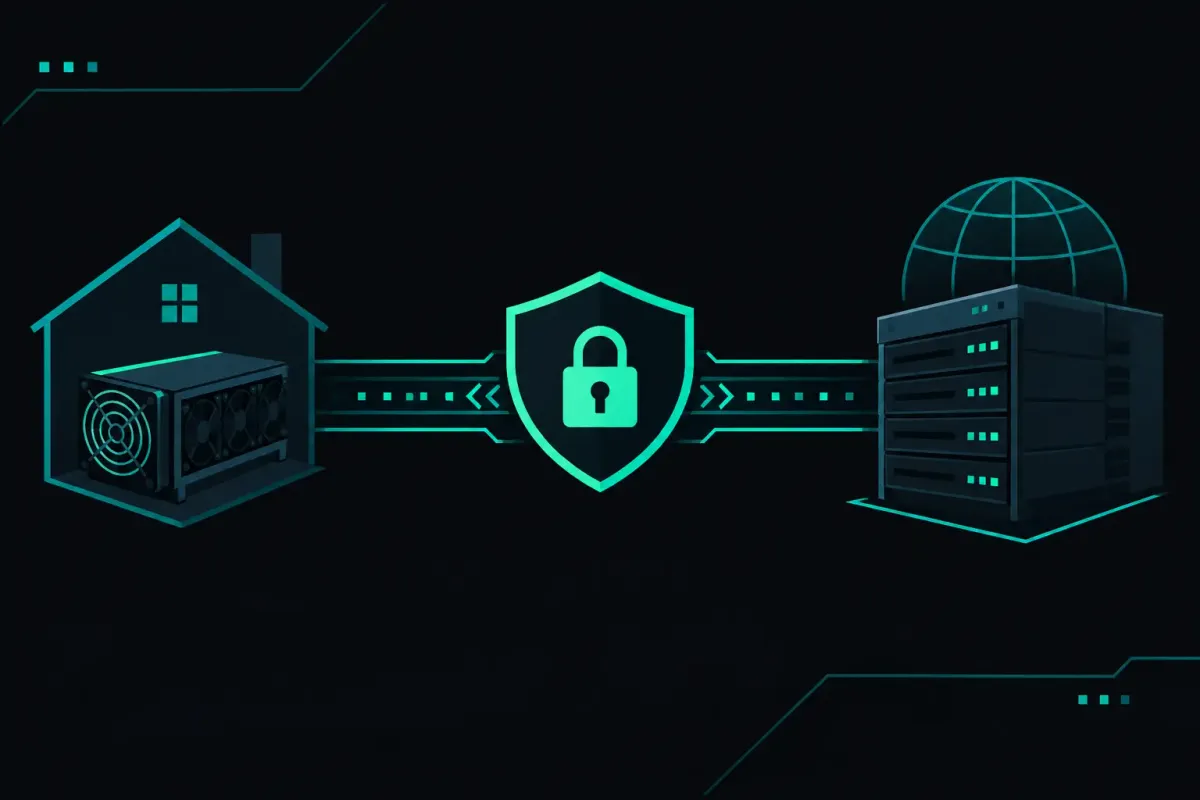
A miner can send billions of hashes without handing over custody of a single bitcoin. The connection still matters. This Stratum connection encryption guide explains what encrypted Stratum V2 protects between your rig and pool, what it cannot protect, and how to choose it without turning setup into a protocol project.
For Bitcoin, NexusPool (nexuspool.io) accepts Stratum V1 and encrypted Stratum V2 at solo.nexuspool.io:3350. There is no account, signup gate, or KYC step. Your Bitcoin address tells the pool where a found block's subsidy and transaction fees should go.
That address is the part worth checking before you mine. Payout Preflight builds the current block payout for your address before your rig finds anything. Encryption protects the route to the pool. It does not correct a payout address entered wrong in firmware.
What Stratum connection encryption changes
A Stratum connection carries jobs from the pool to your miner and share submissions from your miner to the pool. A job tells the rig what block template to work on. A share tells the pool what the rig produced.
Traditional Stratum V1 commonly runs as readable plain TCP traffic. That can be acceptable on a network you control, but it exposes more than many miners realize when traffic crosses an ISP, public Wi-Fi, a hosting network, or an untrusted router. A party that can observe the connection can learn connection details and traffic timing. A party able to interfere with it has more room to disrupt the conversation.
Encrypted Stratum V2 wraps that conversation in a Noise-encrypted session. The miner and server establish session keys before they exchange mining traffic. An observer on the route should not be able to read the jobs or alter them without the session failing.
That is useful protection. It is not a magic shield around the mining operation.
Encryption does not change network difficulty. It does not change your hashrate. It does not change the odds of finding a Bitcoin block. Network difficulty sets those odds at every pool. Solo mining is a lottery, and an average wait is not a schedule.
It also does not protect a rig whose firmware has been replaced, a router whose administrator controls the miner itself, or a payout address you copied from the wrong place. Security has layers. Transport encryption is one of them.
Use encrypted Stratum V2 when your rig supports it
The simple setup path is short. In your miner's pool settings, select Stratum V2 or encrypted Stratum V2 if the firmware offers it. Enter solo.nexuspool.io:3350 as the server. Enter your own Bitcoin address in the payout or username field required by that firmware. Add a worker label only if your interface supports one and you want to identify the rig.
Do not invent a second port for encrypted mining. Both Stratum V1 and encrypted Stratum V2 use port 3350. The protocol your miner speaks determines the connection it makes.
After saving the settings, inspect the miner status page. It should show a live connection, accepted shares after the rig has had time to work, and the protocol it negotiated if the firmware exposes that detail. A status page that only says “connected” is not enough to establish that encryption is active. Look for an explicit Stratum V2 or encrypted-session indication.
Many home miners still support only Stratum V1. That is a firmware limit, not a reason to abandon the rig. Connect it to the same endpoint with the protocol it supports. Put the miner on a network you control, change the router's default administrator password, and avoid exposing its management page to the public internet.
A protocol upgrade is worth making when your device supports it, but forced upgrades can create their own failure mode. Do not flash firmware from an unverified source just to obtain encryption. Check the firmware publisher, release notes, and recovery process first. A miner that cannot boot has excellent encryption and no hashrate.
The authority key is the server identity check
Encryption only answers half the question. Your miner also needs to know it encrypted its traffic to the intended server rather than to an interceptor pretending to be one.
Stratum V2 handles this with an authority key. The pool signs the handshake identity with its authority key. A miner that supports authority-key pinning can store the expected public key and reject a server that presents another key.
This is stronger than trusting a host name alone. A host name can be redirected by bad DNS, a captive portal, or a compromised network. A pinned public key gives the miner a specific cryptographic identity to expect.
Before pinning, copy the published authority public key exactly from the pool's connection documentation. Compare it character by character, or compare a displayed fingerprint if your firmware provides one. A single changed character means it is not the same key.
All four Bitcoin regions use one published Stratum V2 authority key. That makes the expected identity consistent when the endpoint directs a new connection to Los Angeles, Chicago, Frankfurt, or Singapore. Do not assume a rig carries a pin through a regional failure until your firmware has shown how it handles a new handshake. Different implementations make different choices.
If your miner reports an authority-key mismatch, stop and investigate. Do not click through it because shares are waiting. Confirm the key in the current connection documentation, confirm the firmware did not replace its configured key, and rule out a network device redirecting traffic.
Encryption does not hide the things miners often mean by “private”
Encrypted Stratum V2 protects the contents of the connection. It does not make your internet connection anonymous.
Your network provider can still see that your device communicates with an internet host and can often infer timing and volume. The pool still receives the information needed to operate the connection, including the payout address you provide and your submitted work. Bitcoin payouts remain public on the Bitcoin network once a block is found.
That is not a defect in encryption. It is the boundary of the tool. If your goal is to prevent someone on the route from reading or modifying Stratum traffic, encrypted V2 addresses that goal. If your goal is to conceal every fact about mining activity, it does not.
The same distinction applies to remote management. Encryption between a rig and the pool does not secure an unencrypted miner dashboard, an exposed SSH service, or a reused password. Keep management access on your local network or behind a method you understand and control.
What connection encryption does not fix
A clean encrypted session can still produce rejected shares. Rejections can come from stale work, an invalid nonce, a malformed submit, a difficulty mismatch, or a device problem. Encryption prevents outsiders on the path from casually altering the traffic. It does not turn an invalid share into a valid one.
It also cannot remove latency. A miner far from the pool's regions has a longer round trip for new jobs and share responses. Distance changes how quickly a rig receives work and sees status. It does not change the odds of finding a block.
For Bitcoin, the endpoint directs new connections toward a nearby healthy region. Each region runs its own Bitcoin node. When a new block arrives, the pool can issue work before its node finishes validating the new block. On the Frankfurt server, the median time from header to work was 0.49 ms across 162 mainnet blocks on September 10 and 11, 2026. That first job carries no transactions. It exists to get the rig onto the new block while validation continues.
That mechanism and transport encryption solve different problems. One reduces time spent on old work. The other protects the path over which work travels. Neither changes the lottery.
A practical check before leaving a rig unattended
First, confirm the server reads exactly solo.nexuspool.io:3350. Then confirm the payout address shown in your miner is your address, not a sample address left from setup. If your firmware supports it, select encrypted Stratum V2 and pin the published authority key.
Next, watch the first few minutes of operation. Check that the rig remains connected, that its protocol display matches your choice, and that share messages behave normally. A sudden stream of rejects is a troubleshooting signal, not a setting to ignore.
Finally, use Payout Preflight to inspect where a found block would pay before you wait for one. The result should name your own Bitcoin address and show the subsidy plus the transactions currently in the candidate block. Transactions can change before a block is found. Your address should not.
Point the rig at the endpoint that matches its capabilities. Then verify the encrypted session, the authority key, and the payout address. Trust nothing. Verify the connection your miner actually made.