Mining Setup
9 Mining Setup Mistakes That Waste Good Work
Find mining setup mistakes before they cost you work: wrong payout addresses, weak power, stale jobs, bad clocks, and unexplained rejected shares too.
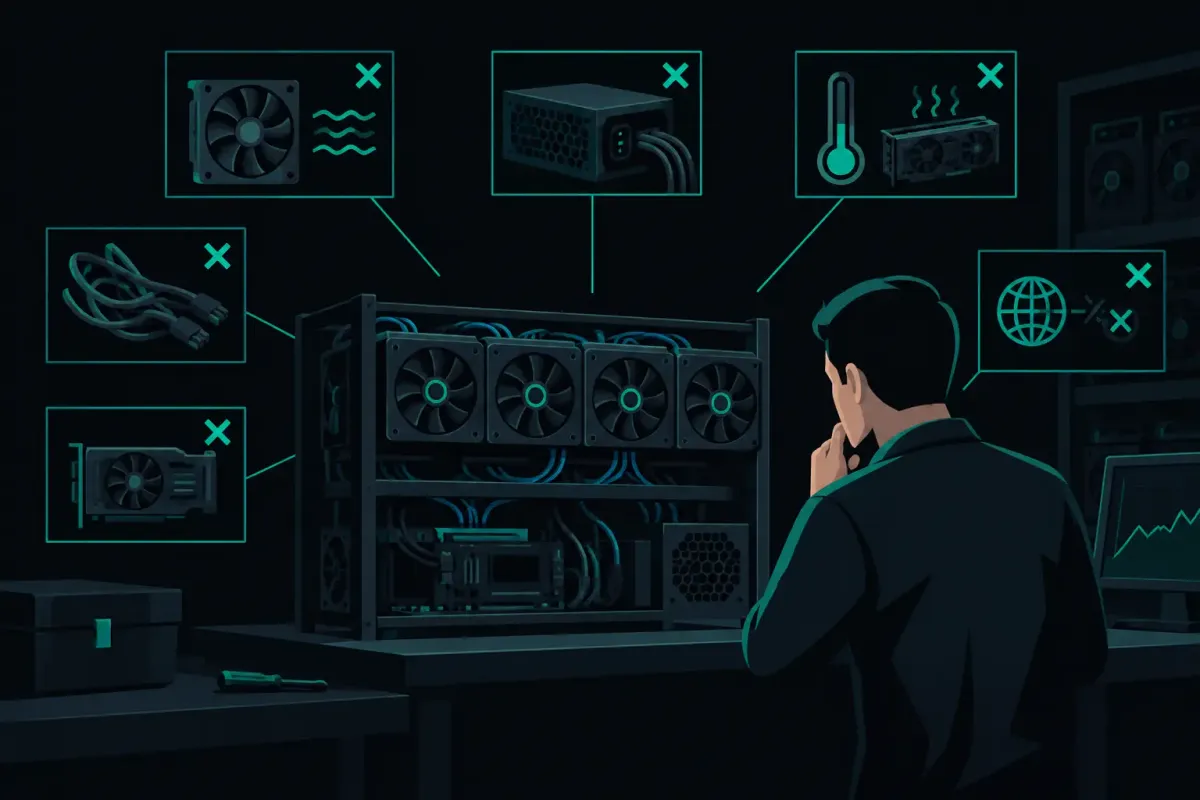
A solo miner can spend an afternoon tuning clocks and still miss the first mistake: the address in the worker field is wrong. Mining setup mistakes are usually ordinary mistakes. A loose power lead, a copied address with one bad character, or a rig still pointed at an old endpoint can matter more than a few extra megahashes.
Solo mining is a lottery. Network difficulty sets your odds at every pool. A pool cannot make a small rig more likely to find a block. What you can control is whether the rig receives current work, submits shares cleanly, and sends a winning block to the address you intended.
1. Treating the payout address as a label
A Bitcoin address is not a username. It tells the coinbase transaction where a found block's subsidy and transaction fees go. If it is wrong, a worker name will not rescue it.
Do not enter an address from memory. Copy it from the wallet that controls its private keys, then compare the beginning and end after pasting. If your firmware supports a worker suffix, use it only after the address, in the format the firmware expects. The suffix helps identify a machine. It does not receive the reward.
This is also where an old address can cause trouble. A miner may keep a test address in saved settings after a firmware update, a reset, or a move to another location. Open the active pool configuration on the rig itself. Check the field the miner is actually using, not the screenshot you took last month.
2. Choosing a pool before checking the payout path
For solo mining, ask a narrow question: if this rig finds a valid block, what transaction pays it, and can you inspect that transaction before the event?
NexusPool (nexuspool.io) offers Payout Preflight for this check. Enter the Bitcoin address you plan to mine to and inspect the payout built for that address on the current block. The displayed amount changes with the current block's fees. That is expected. The useful check is the destination address and the construction of the payout, not a promise about a future amount.
Connect Bitcoin hardware to solo.nexuspool.io:3350 with the payout address in the worker field. The same port accepts Stratum V1 and encrypted Stratum V2. Most home miners use V1 today, so the practical point is simple: use the address and port your firmware supports, then confirm the rig is accepted by the endpoint.
3. Underestimating power delivery
A miner that boots is not necessarily a miner with clean power. Marginal power can show up as repeated restarts, a hash rate that falls after a few minutes, hardware errors, or a device that disappears when another load turns on.
Start with the entire path: wall outlet, power strip or PDU, power supply, connectors, and the cable to the miner. Check the rated load for the circuit and the power supply. Do not size a setup from the miner's advertised consumption alone. Fans ramp, supplies have limits, and household circuits may already feed other loads.
Heat makes a weak connection worse. If a plug, connector, or power supply cable is hot enough to make you hesitate before touching it, shut the miner down and inspect the cause. Do not solve a power problem by raising a clock setting. That only makes the fault easier to reproduce.
Watch the power supply, not just the miner dashboard
A dashboard can report a reasonable average while the power source is dipping under load. If a problem appears only at a certain frequency, test at stock settings first. If it disappears, the issue may be the overclock, cooling, or available power. It depends on the device, but changing one variable at a time gives you an answer.
4. Setting a clock before establishing a baseline
Open-source home miners invite experimentation. That is part of the point. It is also how people lose track of which setting caused a problem.
Run the rig at a known stable setting long enough to observe its reported hash rate, chip temperature, fan behavior, and rejected-share rate. Write those values down. Then change one setting: frequency, voltage, fan target, or power limit. A higher displayed hash rate is not the only result worth measuring. A machine that resets twice a day or creates a growing number of hardware errors is not operating cleanly.
Do not borrow settings blindly from another miner. Two units with the same board can have different cooling, silicon quality, room temperature, and power supplies. A stable setting for a reviewer in a cool workshop can be unstable on a shelf beside a modem.
5. Ignoring heat because the room feels cool
The room is not the chip. A compact miner can recirculate its own exhaust in a cabinet, behind a monitor, or against a wall. Dust can turn a reasonable fan curve into a poor one over time.
Give intake and exhaust air a path. Keep cables, curtains, and loose packaging away from fans. Check temperatures after the miner has been running, not just during the first minute after startup. If the device reports per-chip temperatures, look for one chip that is consistently hotter than the rest. That pattern often points to airflow, a heatsink issue, or a sensor problem rather than a global clock limit.
Noise is part of the thermal plan. Lowering fan speed may make a desk miner more tolerable, but it can also reduce cooling margin. If you make that trade, watch temperatures and errors afterward.
6. Reading accepted shares as income
An accepted share shows that the pool read a piece of work meeting the share target. It is useful evidence that the connection and miner are functioning. It is not a partial Bitcoin payout, and it does not make a block find arrive on a schedule.
This distinction matters most when a small miner has run for weeks without a block. That result may be normal. Solo mining has long quiet periods. An average wait is not a schedule, and a lower difficulty means a shorter expected wait, not more value.
Use shares for diagnosis. If accepted shares stop, investigate the rig, network, endpoint, or power. If shares are accepted, the next question is whether the miner is getting new jobs promptly and whether rejects have a stated reason.
7. Treating all rejected shares as the same fault
A rejected share needs context. A stale share can occur when a new block arrives and the miner submits work from the previous template. A low-difficulty or malformed share points elsewhere. Network loss can look different again.
First, read the rejection text from the miner or pool log. Then compare its timing with what changed. Did the internet reconnect? Did the miner reboot? Did you change firmware? Did the reject cluster appear after an overclock? The pattern matters more than one isolated rejection.
Do not chase zero rejects as an abstract goal. Some stale work is a normal consequence of block changes and network delay. Repeated unexplained rejects are the problem. If a pool reports a reason, keep that reason with the timestamp when you troubleshoot. It is more useful than a vague report that the rig is "not mining right."
8. Forgetting that distance changes response time
Your location does not change the odds. Hash rate and network difficulty do that. Distance can change how long new work, share acknowledgments, and status updates take to travel.
For a home miner, begin with the endpoint supplied by the pool and see how the machine behaves. Do not choose a server based on a map alone. Measure from your own network. A router update, Wi-Fi interference, or a congested connection can add more delay than geography suggests.
If the rig supports a wired connection, use it for a permanent setup when practical. Wi-Fi can work, but an unstable wireless link creates a harder diagnosis because it adds another moving part. Check for packet loss and disconnects before blaming the miner.
9. Updating firmware without a rollback plan
Firmware can fix bugs, add pool compatibility, or change tuning behavior. It can also reset configuration fields, alter defaults, and expose a marginal setup that the old firmware tolerated.
Before updating, record the current version, pool address, payout address, worker name, and stable tuning values. Save screenshots if the device does not export settings. After the update, verify the address and endpoint first. Then run at stock or previously stable settings before restoring an aggressive tune.
Only install firmware from the device maker or the project you have independently verified. A mining device is a networked computer with access to your local network. Treat a random firmware file accordingly.
The useful habit is not constant tuning. It is a short check whenever something changes: confirm the payout address, inspect the power path, read the reject reasons, and watch the miner after it reaches normal temperature. Trust nothing. Verify the payout address before you mine.